Between work laptops, phones, online classes and evening streaming, many people now spend most of their waking hours looking at screens. If your eyes feel tired, dry or sore by the end of the day, you are not alone. Digital eye strain, also called computer vision syndrome, is extremely common. The good news is that a few simple habits can make a real difference.
What digital eye strain is
Digital eye strain is a group of eye and vision symptoms linked to prolonged use of screens. It is not usually a sign of permanent damage, but it can be uncomfortable and affect concentration and productivity.

Common symptoms
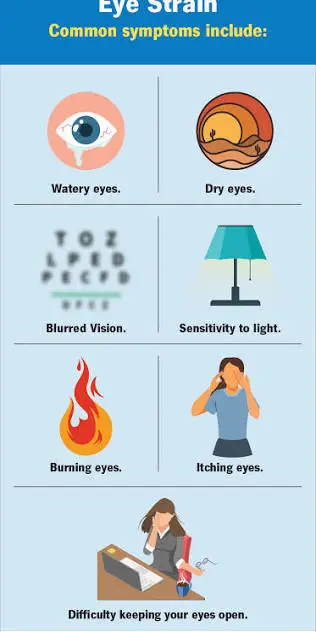
Common symptoms unclude:
Tired, sore or burning eyes, dry or watery eyes, blurred vision, especially when shifting focus, headaches, difficulty focusing after long screen sessions, neck, shoulder and back pain from poor posture.
Why screens strain the eyes
- Less blinking: When we concentrate on screens, we tend to blink less often, which can leave the eyes dry and irritated.
- Constant close focus: Looking at a near object for long periods keeps the eye’s focusing muscles working without a break.
- Glare and poor lighting: Screens that are much brighter or darker than the surroundings, or reflections from windows and lights, add strain.
- Small text and poor posture: Leaning in to read small text, or looking at a screen at an awkward angle, strains both eyes and neck.
- Uncorrected vision problems: Even mild short-sightedness, long-sightedness or astigmatism that is not corrected can make symptoms worse.
The 20-20-20 rule
One of the simplest and most widely recommended habits: every 20 minutes, look at something about 20 feet (around 6 metres) away for at least 20 seconds. This gives your focusing muscles a break. Set a reminder on your phone or computer until it becomes a habit.
Set up your screen correctly
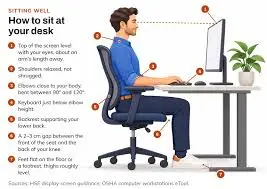
Distance: Keep your computer screen roughly an arm’s length away.
Height: Position the top of the screen at or slightly below eye level, so you look slightly downward.
Brightness: Match screen brightness to the room. A screen that glows much brighter than its surroundings strains the eyes.
Text size: Increase text size so you can read comfortably without leaning forward.
Reduce glare: Position the screen so windows are to the side rather than in front or behind it. Use curtains or adjust lighting to reduce reflections.
Laptops: For long work sessions, consider a laptop stand with a separate keyboard and mouse to improve posture.
Habits that help
- Blink consciously: Remind yourself to blink fully, especially during focused work.
- Take regular breaks: Stand up, stretch and move away from the screen every hour or so.
- Keep the air from drying your eyes: Avoid having fans or AC vents blowing directly at your face.
- Stay hydrated.
- Limit screen time before bed: Reducing screens in the last hour before sleep can help both your eyes and your sleep quality.
- Phone habits: Hold your phone a comfortable distance away, increase font size and avoid using it in the dark for long periods.
Do blue light glasses help?
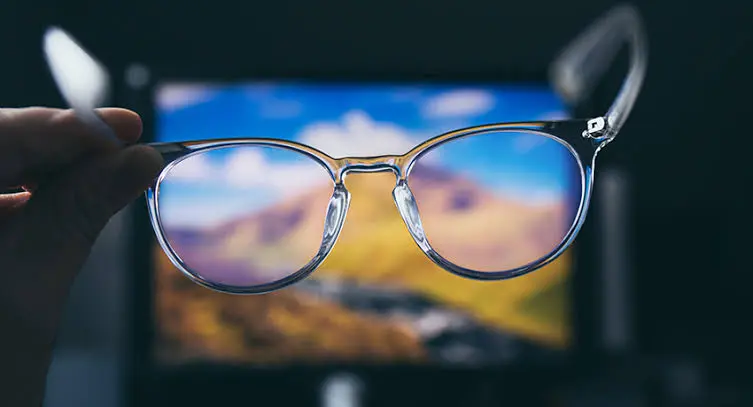
Blue light filtering glasses and screen filters are widely marketed. Current evidence does not clearly show that blue light from screens damages the eyes, or that blue light filtering lenses significantly reduce digital eye strain. Many eye health organisations instead emphasise breaks, good screen setup and correcting any vision problems. If you find filters comfortable, they are unlikely to do harm, but they are not a substitute for good habits.
Lubricating eye drops
Over-the-counter lubricating eye drops (artificial tears) can help relieve dryness for some people. Ask a pharmacist or eye doctor to recommend a suitable product, and avoid using drops that claim to “remove redness” frequently without advice.
Children and screens
Children are spending more time on screens for school and entertainment. Encourage regular breaks, outdoor play and a sensible distance from devices. Time outdoors is also associated with a lower risk of short-sightedness developing or worsening in children. Regular eye check-ups are important, as children may not realise their vision has changed.
When to see an eye doctor
Get your eyes checked by an optometrist or ophthalmologist if you:
- Have frequent headaches or blurred vision
- Find symptoms do not improve with breaks and better habits
- Have not had an eye test in the last year or two
- Experience sudden changes in vision, eye pain, flashes of light or floaters. These need prompt medical attention.
If you wear glasses, tell your eye doctor how much time you spend on screens. Glasses designed for computer distance can help some people.
The bottom line
Screens are part of daily life, but eye strain does not have to be. Follow the 20-20-20 rule, set up your screen correctly, blink and take breaks, and get regular eye check-ups. Small changes add up to much more comfortable eyes.
This article is for general information and is not a substitute for advice from an eye care professional.